Free 3DGS hosting.
And a viewer worth embedding.
Bring the Gaussian splats you already have. Each one gets a viewer, a share link / embed snippet and place-in-space AR, with no card and nothing to install at either end. Up to 100 products on the free account. Take them out again as PLY or SOG whenever you want, or push straight to SuperSplat.
100
Products hosted, free
Free
Place-in-space AR on every one
PLY / SOG
Export, any time, no charge
Fast enough to sit on
a product page.
Most 3D fails the same test. A product page has a page weight and page speed allowance, the merchandising team guards it, and anything that threatens the budget gets pulled before Black Friday. So the viewer renders the splat itself in the browser, with no app, no plugin and no video standing in for it. Our own UG3D® twins come out between 4 and 17MB.
- Renders in the browser, on a phone, with nothing to install
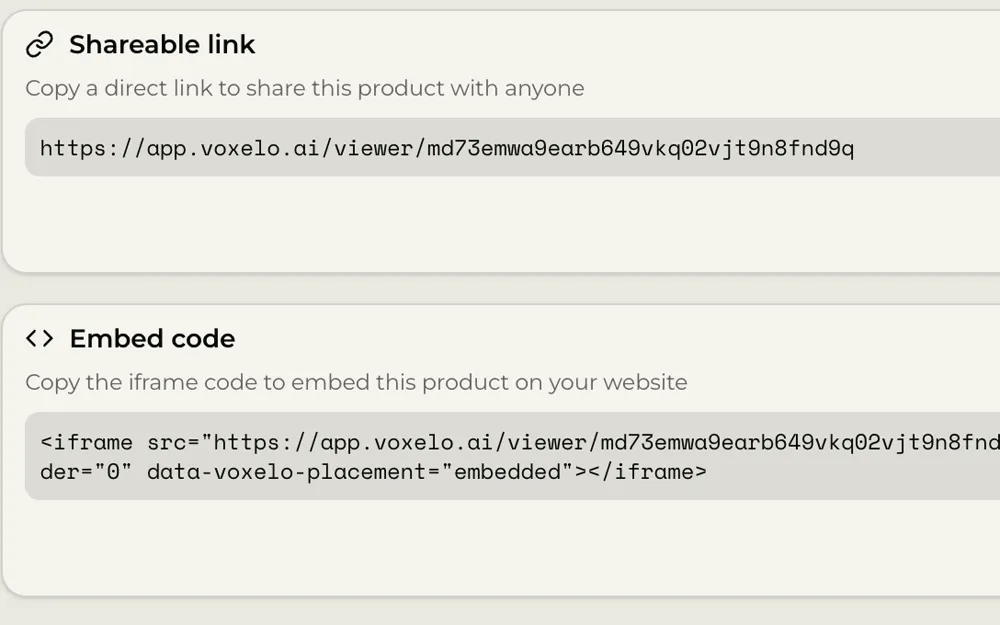
- One line of HTML, on Shopify, Adobe Commerce, WooCommerce or BigCommerce
- Lazy load it and it costs a visitor nothing until they scroll to it
- Set the starting camera so the first frame is the frame you chose
- Capture a thumbnail from any angle and it shows until someone interacts
The controls that affect weight are the ones you can set per product. Zoom and view limits keep the camera inside the detail you actually captured. A saved starting position means the viewer opens on the hero angle instead of wherever the capture happened to begin. The thumbnail carries the frame until a visitor touches it.
Two more,
running on this page.
The clutch at the top of the page is the first. These two are hosted the same way and embedded exactly the way yours would be. Drag to spin them. On a phone, the AR button puts them in the room at the size they were captured. Both are lazy loaded, so they cost nothing until you reach this section.
More in the gallery.
Every splat arrives
with its own controls.
Hosting a file is the easy half. What decides whether a splat is usable on a real product page is everything around it: where the camera opens, how far someone can zoom, what shows before they interact, and whether you can change any of it later without breaking the link you already sent.
Background, or none at all
Pick a background colour or go transparent so the splat sits on your own page. Watermark, shadow, dimensions, disclaimer and the interaction hint are each a toggle.
Field of view, autorotate, limits
Set the field of view and autorotate speed, then fence the camera in with zoom limits and vertical or horizontal view limits.
Open on the angle you chose
Spin the model to the shot you want, save the camera, and every visitor arrives there. Position and rotation are stored per product.
Capture it from anywhere
Take the still from any angle in the viewer rather than accepting whatever the first frame happened to be.
Pin callouts to the product
Add hotspots to materials, construction and features, then save them as a group and reuse that group across a range.
A guided path through it
Set a tour through the hotspots, and a landing tour that plays when the viewer opens so the product introduces itself.
Re-upload without re-sending
Replace a splat with a better capture and keep the same link. Version history stays behind it.
Set it once for the catalogue
Save your viewer settings as a preset and apply it to the next hundred products instead of tuning each one.
What you are
actually logging into.
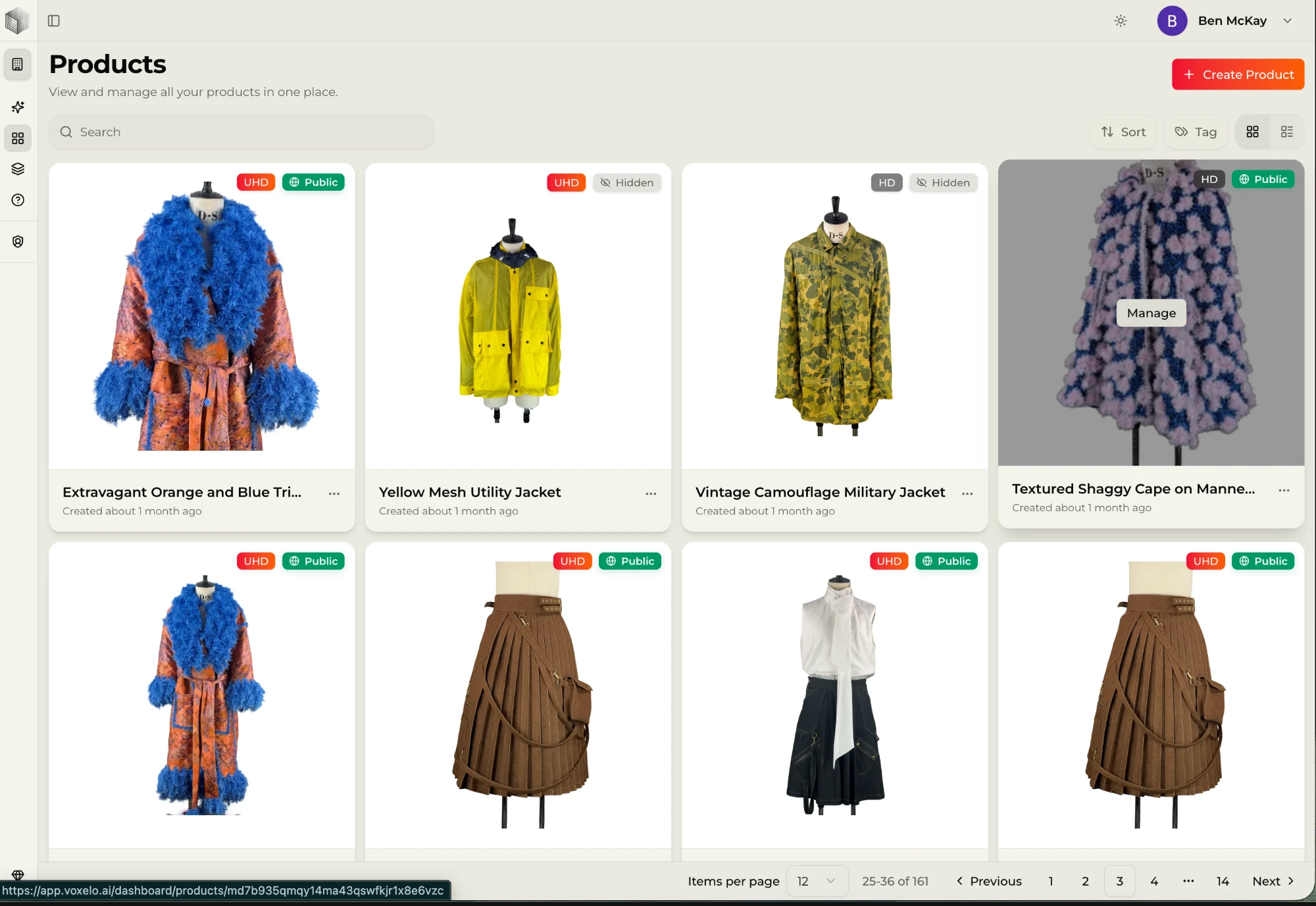
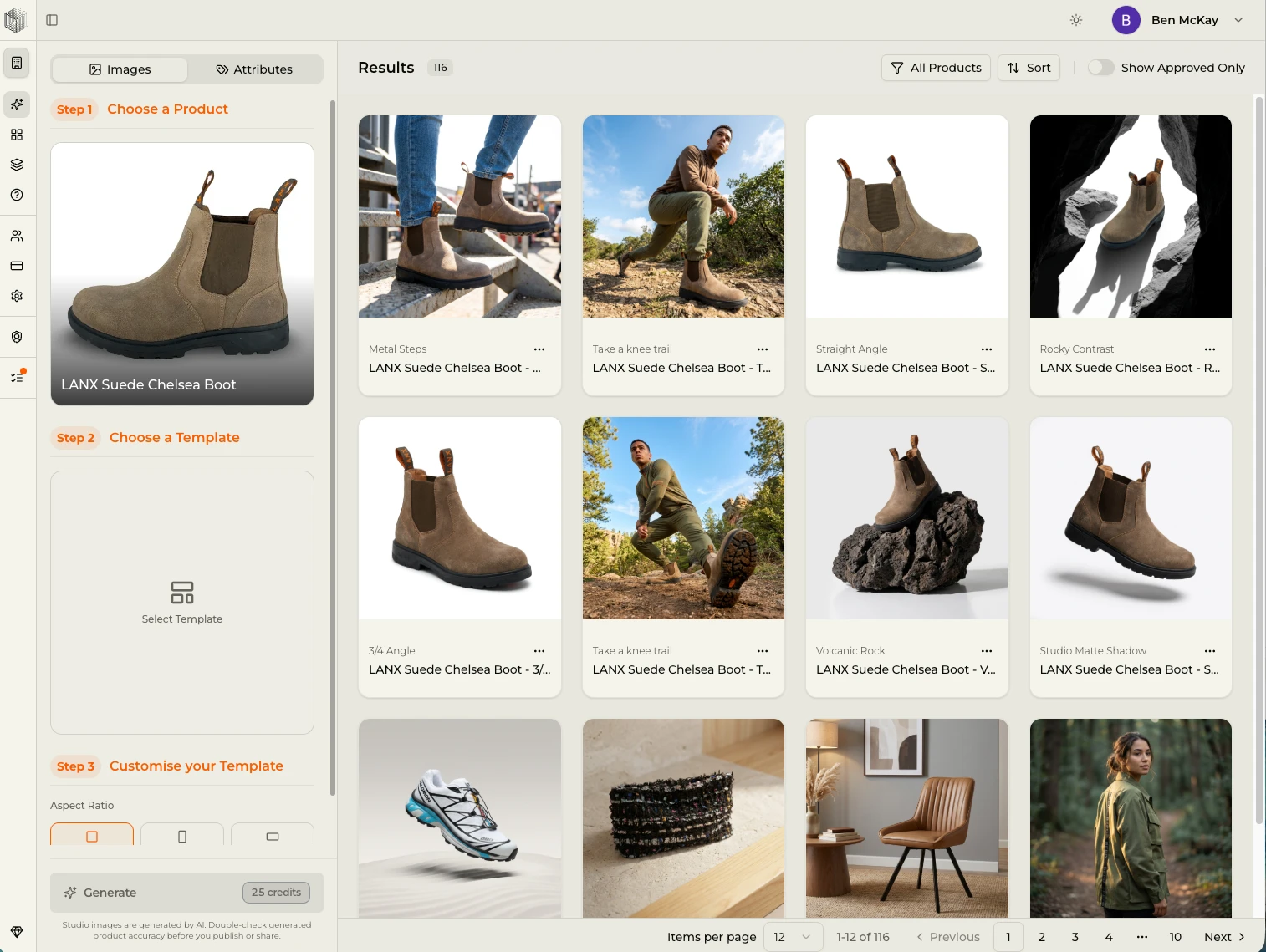
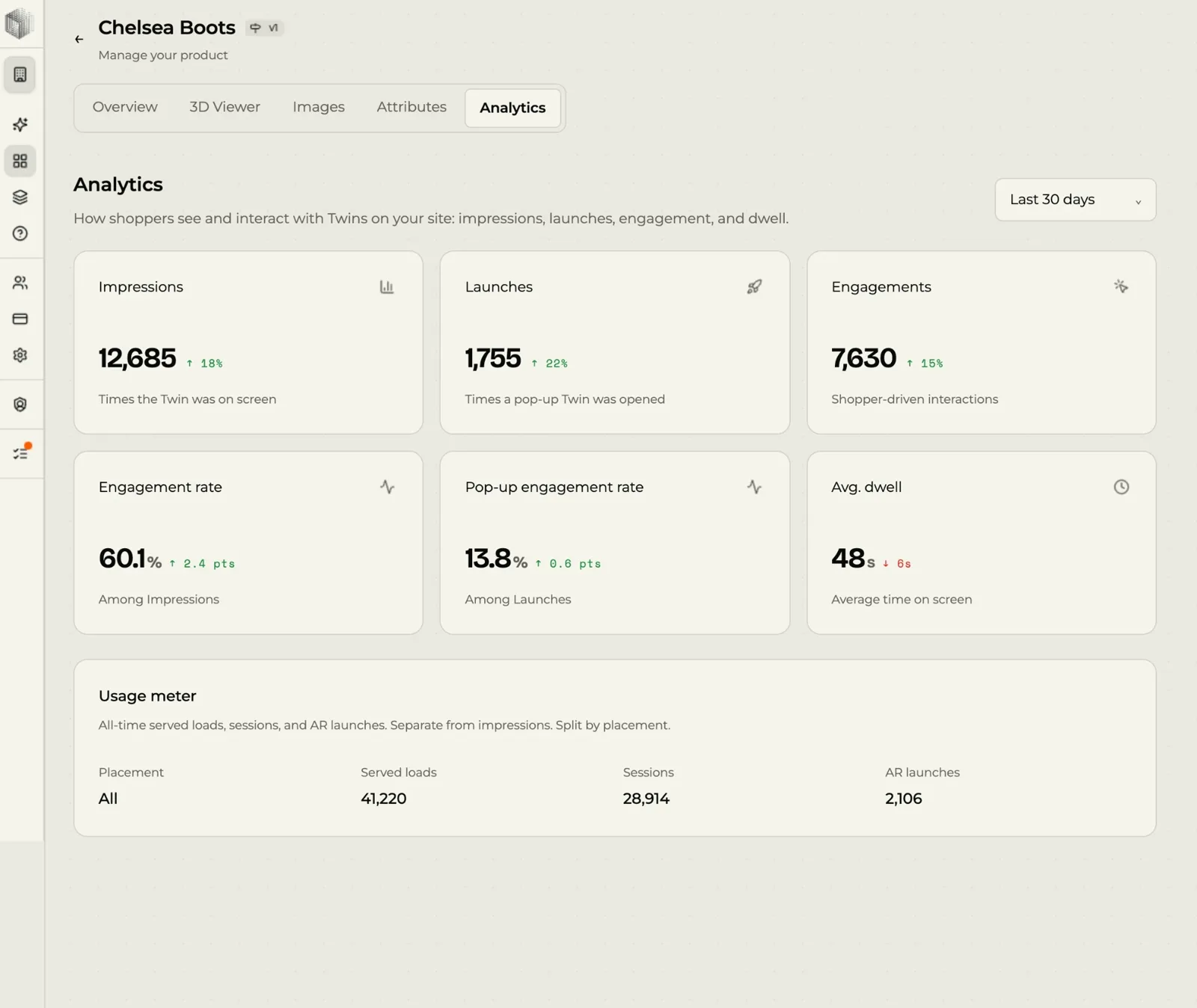
The hosting is the floor, not the ceiling. This is the archive your splats land in, the toggle that puts them in a room, the studio that turns them into imagery and the numbers that tell you whether any of it worked.
Place-in-space AR,
on every splat, free.
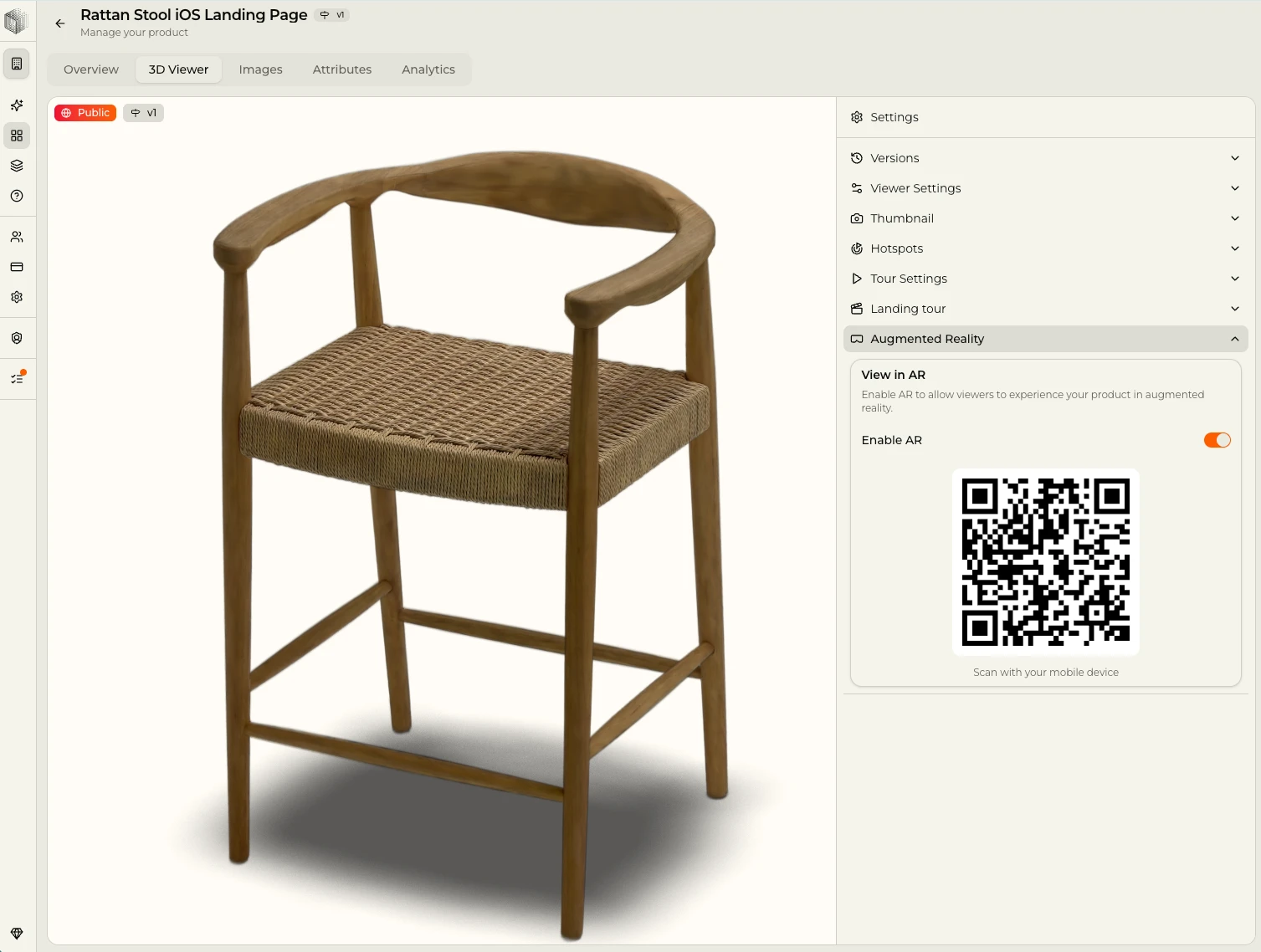
One toggle turns it on. The viewer renders the splat itself in the room at true scale, so a shopper sees the product rather than a stand-in model of it. There is a QR code for getting from desktop to a phone, and nothing for anyone to install.
Where a product has no real-world size set yet, AR shows it at the size it was captured and does not claim it is life-size. Set the dimensions and it switches.
How it behaves
The captured splat itself, rendered where the camera is pointing, at the scale you set. Shoppers see the product they are about to buy, down to the weave. Included on every account, the free one included.
- One toggle per product
- QR hand-off from desktop to phone
- No app for your shopper
- Included on the free account
Your files leave
whenever you want them to.
Plenty of platforms make uploading easy and leaving quietly hard. Everything you put in here stays yours, in formats other tools already read, and the door out sits on the same screen as the door in. The all outputs one capture gives you are all exportable.
Download PLY
The raw splat, ready for Blender, Cinema 4D, After Effects or whatever your team already runs.
Download SOG
The compressed format, for when you want the small file rather than the full one.
Push to SuperSplat
Send a splat straight into SuperSplat when you want to edit somewhere else, and bring it back when you are done.
The account does more
than keep the files.
The same free account that stores your splats is the one that makes new ones and turns them into content. That is the part people miss when they come looking only for somewhere to put a file.
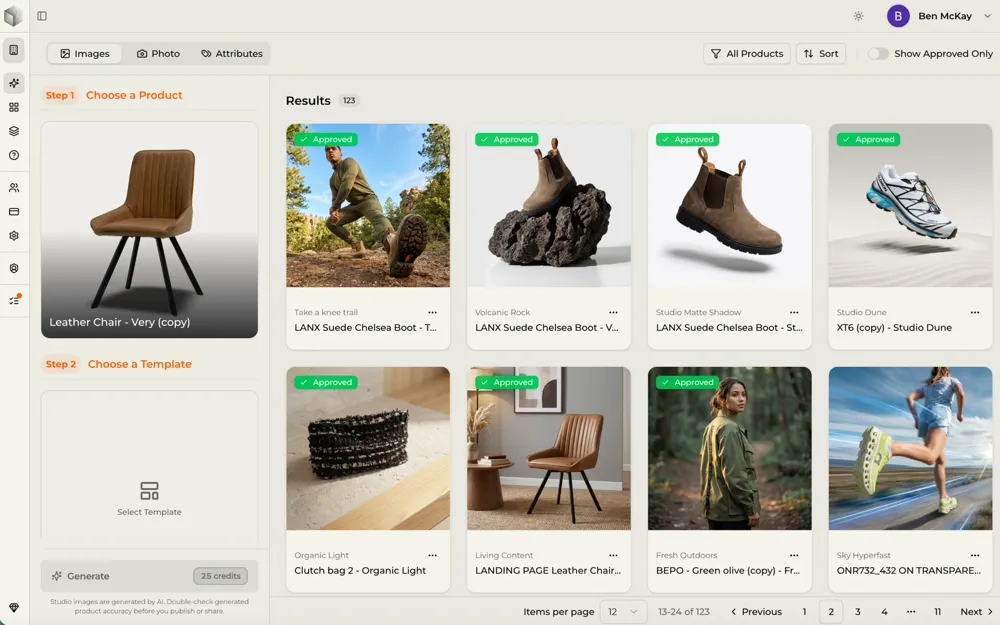
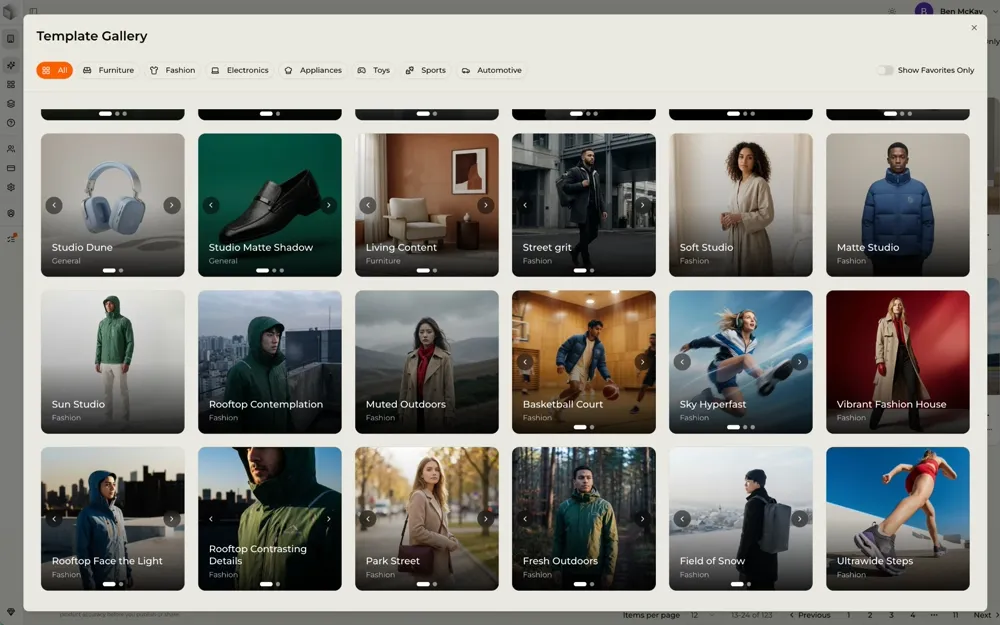
Make the 3D you do not have
UG3D® turns a short product video into a 3D twin in around an hour. The free account opens with 10,000 credits, which is ten of them at HD, so you can scale past the splats you arrived with. How it works
AI Studio
Product and lifestyle stills generated from the twin you already have, so a catalogue gets imagery without a second shoot. See the outputs
Product attributes
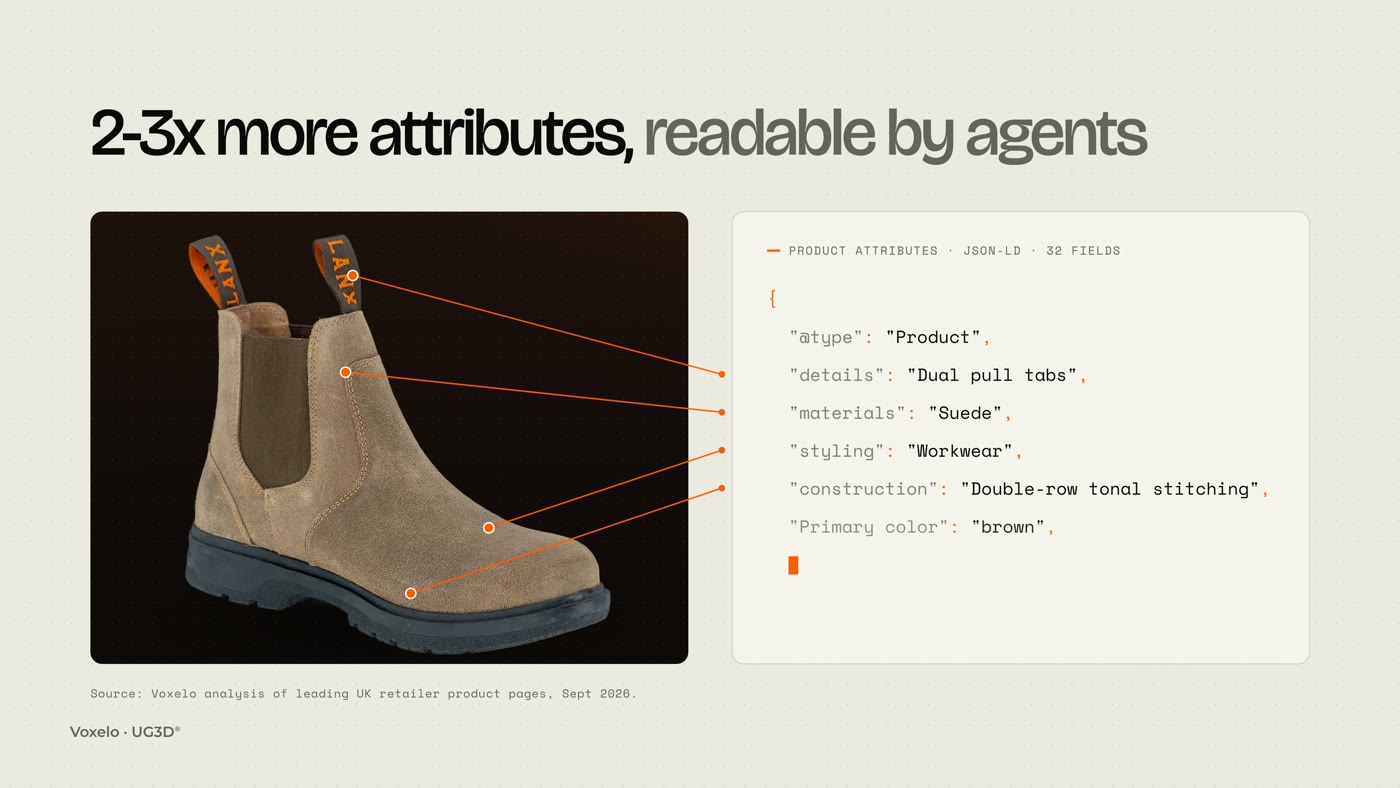
Materials, construction, styling and details read off the scan and published as JSON-LD, which is what AI shopping agents read. Learn about the Voxelo 3.0 release
Manage a hundred of them
An archive rather than a folder: thumbnails, versions, links and settings per product, up to 100 in total on the free account.
Analytics
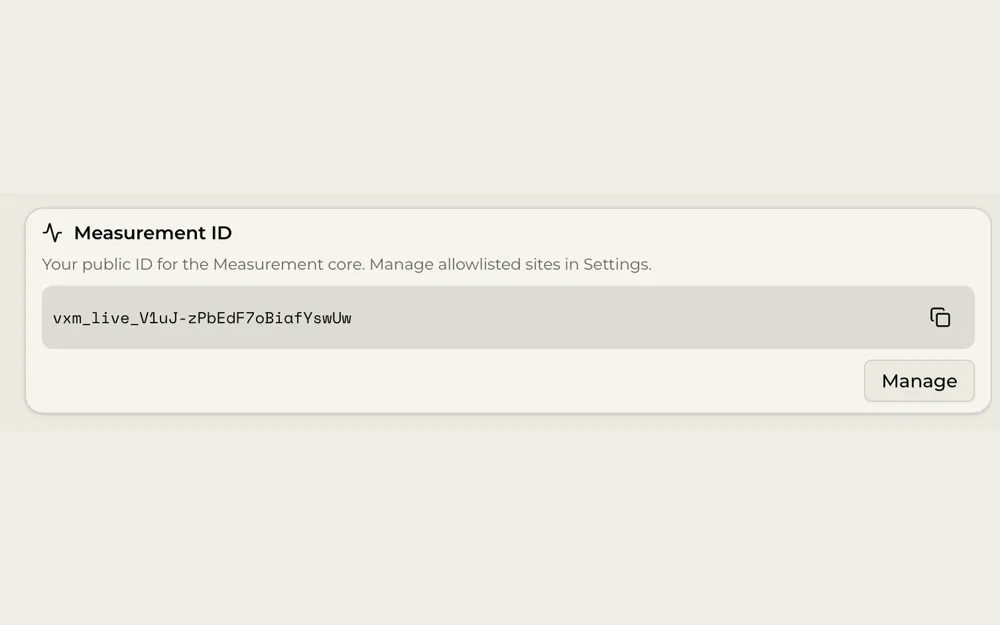
What gets viewed, spun and placed in a room, per 3D twin, so you can tell which products earn the embed.
Embed where you already sell
One line of HTML on Adobe Commerce, WooCommerce and BigCommerce. The no-code Shopify app is on the paid plans. Features
When a hundred stops
being the number.
A hundred products is where this starts. Catalogues that run to thousands, archives that have to outlive the people who built them, client work by the rack. The account carries that, and the parts that matter at that size are the ones nobody thinks about when they have ten.
- API access from Basic upward, so a catalogue is driven from your own systems rather than a dashboard
- Presets applied across a range, so viewer settings are decided once and not per product
- Versions, so a re-captured product keeps the link and the embed you already shipped
- UG3D® from video at around an hour each, so a backlog clears without booking a studio
- PLY and SOG out at any volume, into whatever your team already runs
Two shapes of work end up here. Ecommerce teams building a 3D pipeline that has to survive the thousandth SKU, and archives: product libraries, heritage and cultural collections, anything captured once and kept for a long time. Both want the same three things. Somewhere durable to put the files, a viewer that does them justice, and a way to drive it without clicking.
The ones people
actually ask.
What is 3DGS hosting?
3DGS stands for 3D Gaussian splatting, a way of representing a real object as millions of small coloured points rather than as a mesh with textures. 3DGS hosting is somewhere to store those files and serve them to a browser with a viewer attached, so a link or an embed shows the object rather than downloading a file nobody can open. There are live ones to spin in the gallery.
How many Gaussian splats can I host free?
Up to 100 products in total on the free Voxelo account, with no card. Each one gets the viewer, a share link / embed snippet and place-in-space AR. Full detail on pricing.
Is it free hosting, or a trial that ends?
It is a free account rather than a trial. The hosting and the viewer stay. What runs out is the one-off credit, and it is one pot spent on whichever you want: 10,000 credits, which is ten HD 3D twins, or five Ultra HD, or around 400 AI shots, or any mix of the three. Top-ups are not sold on the free account, so when the pot is empty the next step is a paid plan. The hosting and the viewer carry on either way. See what each plan carries on pricing.
Can I get my files back out?
Yes. Download PLY or SOG at any time, or push a splat to SuperSplat to edit it elsewhere. Nothing is locked to the platform.
Does AR cost extra?
No. Place-in-space AR is on every account including the free one, as a single toggle per product, with no app for the shopper to install. How place-in-space AR works.
Will a splat slow my product page down?
It does not have to. The embed is one line of HTML and can be lazy loaded, so it fetches nothing until a visitor scrolls to it. A captured thumbnail covers the frame until then. Voxelo’s own UG3D® twins come out between 4 and 17MB, and the all outputs page lists what else one capture produces.
What if I have no splats yet?
Film the product for about three minutes on a phone and UG3D® returns a 3D twin in around an hour. The free account opens with enough credit for ten of them at HD. How it works, step by step.
Nothing to start.
Then £18 a month.
£0
Free account · no card
- Host up to 100 of your own splats
- Viewer, share links and place-in-space AR on every one
- Place-in-space AR included
- PLY and SOG export, push to SuperSplat
- 10,000 one-off credits: ten HD 3D twins, five Ultra HD, or around 400 AI shots, mixed how you like
£18/mo
Basic · billed yearly at £216 · ex VAT
More credits, more 3D twins, more AI shots, and API access for driving a catalogue from your own systems. Monthly billing is £20 a month. Grow and Pro sit above it. All prices exclude VAT.
See pricing →Bring the splats you have.
Make the ones you do not.
A hundred products, a viewer on each, AR on each, and the files still yours. See the case by vertical if you need to argue it internally.